
Moodle XML Quiz Builder
Creating Moodle Quizzes can often be a tedious process, especially when creating them directly within the Moodle platform. Users must navigate through numerous choices and menus, select the correct settings, and wait for each page to load.
This project is inspired by a web application called “VLE Tools” (currently, their website is down). I have developed a lightweight HTML page with a basic interface designed to help you or your staff create quizzes quickly and export them as XML files for easy importation.
Right now, it has the following features:
- A selection of 7 popular question types.
- The ability to save your progress as a JSON file.
- Specify a question bank category AND subcategory (for those who love to organise using question banks).
- An option to include general answer feedback.
At this time, the tool only supports plain text to ensure accessibility of quiz questions. I plan to add support for attaching images with alternative text in the future.
Anyone is welcome to try this tool, see if it works well for you or your organisation, and use it for commercial projects. Please reach out to me if you like it or have any suggestions. The tool is hosted directly on this website, and you can access it using the button directly below.
How to Import Your XML File into Moodle
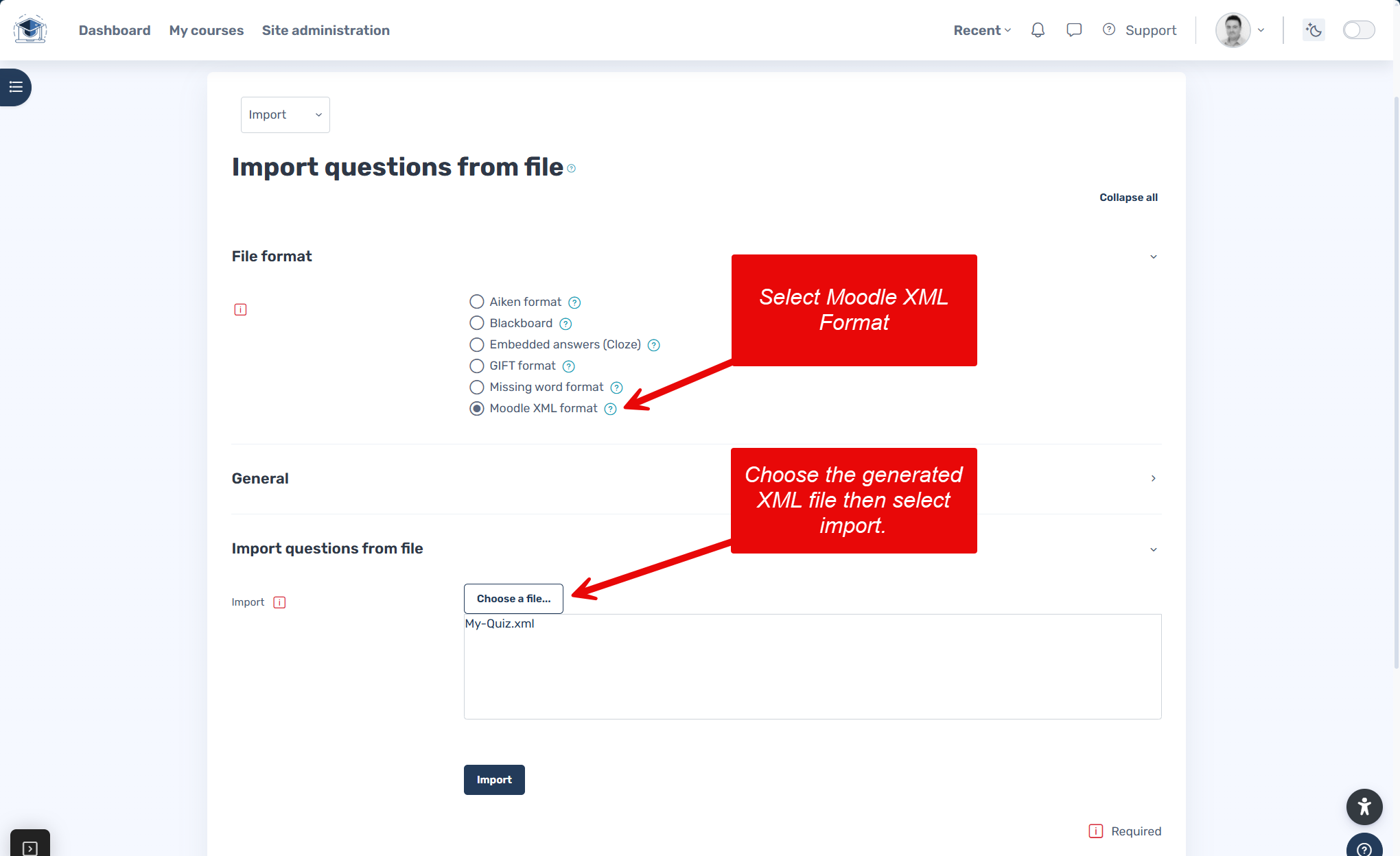
Once you have your XML file, simply go into your Moodle course and find your question bank. Use the import option and select Moodle XML. If you have not entered a category name in the XML Tool, you should untick “get category from file”.
Screenshots
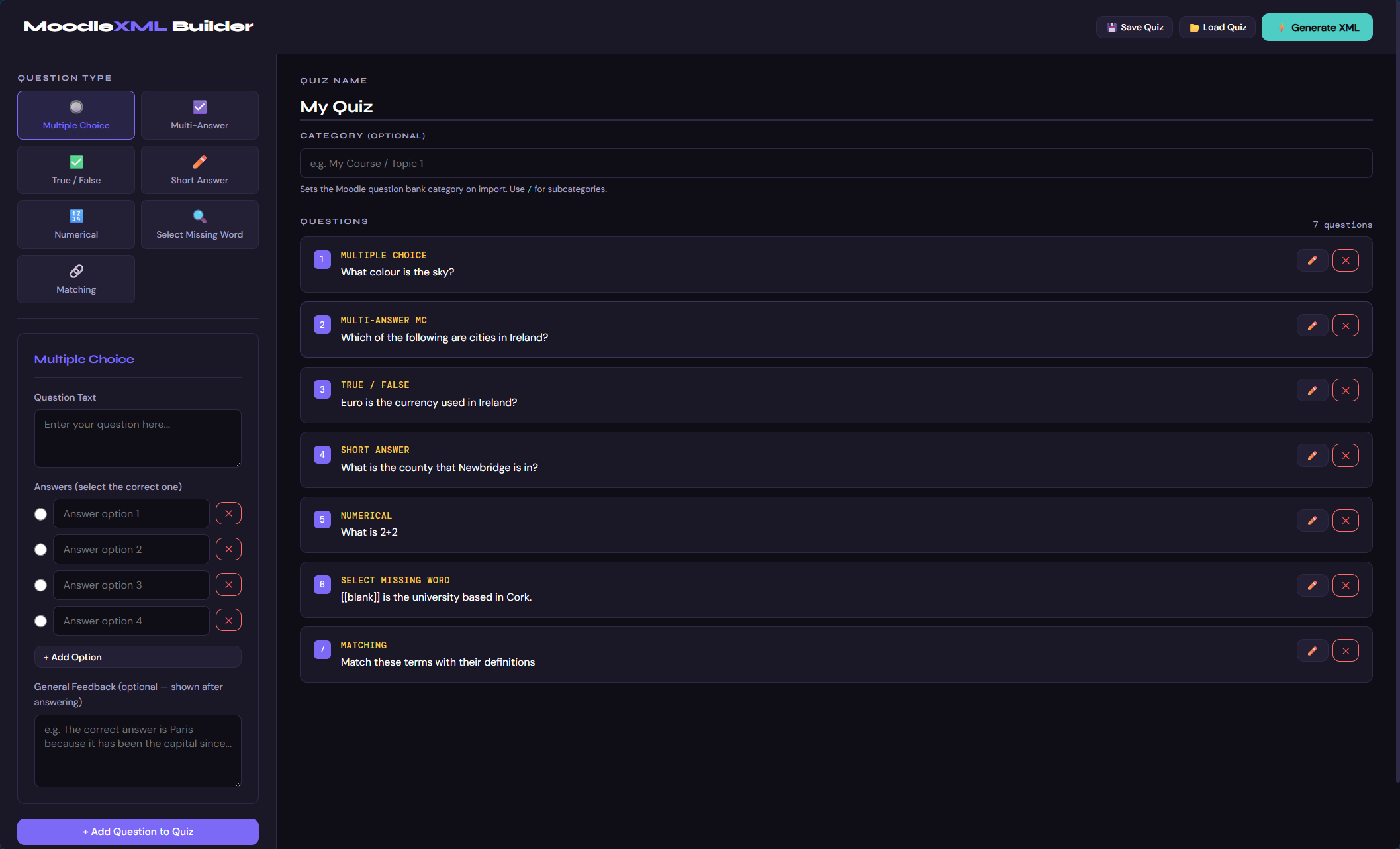
Moodle XML Builder
Moodle XML Builder Desktop Screenshot
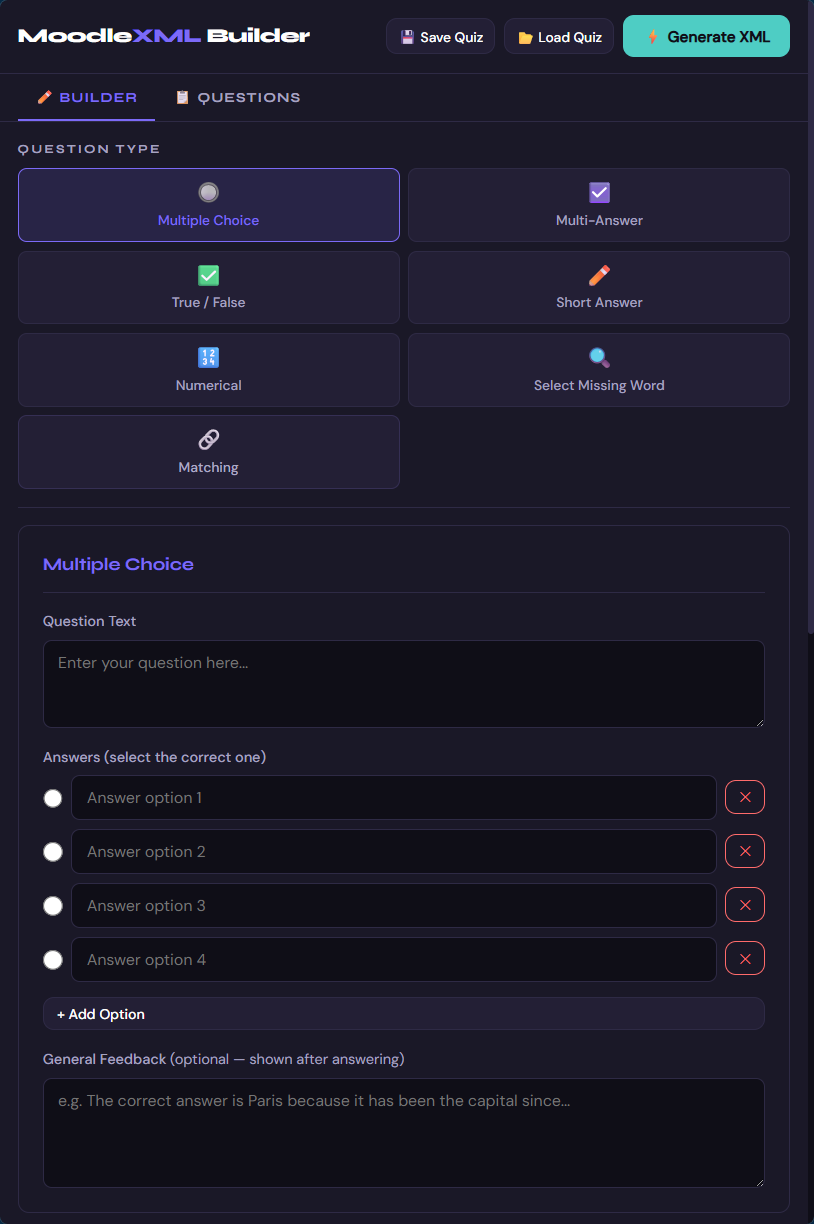
Moodle XML Builder Mobile
Moodle XML Builder Mobile Screenshot
Moodle XML Builder Import Screen
Moodle XML Builder Import Screen